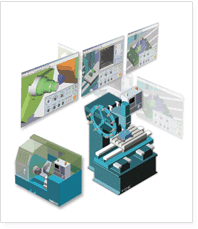
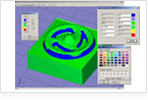
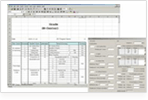
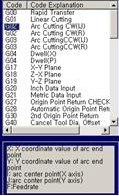
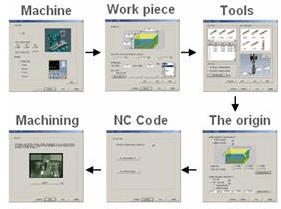
V-CNC system analyses a NC code programmed, and transmits machine-commands to the virtual controller. The Virtual CNC machine simulates the NC code in the 3-dimentional environments.
V-CNC is educational software for machining part based on PC environment. Trainer can achieve high efficiency in CNC education with lowbudget.
V-CNC System which is a new educational trainer equipment for providing 21C will be a good partner.
V-CNC V4 Feature
-
Easy program : Machining process wizard and animation function for each Process
-
Realistic simulation : Enhancement for virtual machine and NC Data analysis function
-
Accurate verification : result dimension verification, tool path and add over/under cut verification function
-
Provide national authorized test: develop the Exam CNC providing Provide national authorized test by CNC simulation
Function
Virtual CNC Machining View
-
3D Machine realization as same as real machine
-
Offers cutting simulation by NC Code real-time analysis
-
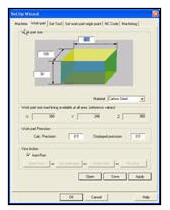
Easy work-part setting and cutting zero-point automatic setting
-
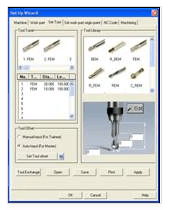
offer various Tool library
Tool Library
Work-Part
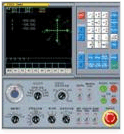
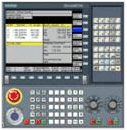
controller screen and controller panel
-
Identical screen display with real controller
-
cutting Undo function
-
adjust Feed-rate and offer MPG(Manual Pulse Generator)function
-
Execute Sing Block and Dry Run function
-
When it occur error, offers various alarm
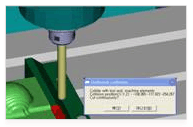
Collision Check
Fanuc controller
Siemens controller
Work-part verification
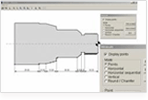
* Dimensional check
-
Measures the machined work piece
-
Saves and prints the drawing
-
Displays any coordinates by clicking
-
Measures the distance between two points
-
View any sections, displays dimension and save thedrawing
Examination and Verification (Optional)
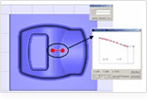
- Gouge Check
. Displays the over/under cutting with spectrum
.
User defined spectrum color
.
Measures the over/under cutting amount on any coordinates by clicking
.
Sets Rendering speed and model color
.
Measures the distance between two points
.
Toggles the grid background
.
Dynamic view control
- Scoring and Reporting the result
. Scores the work piece by user defined scoring parameters
.
Scores a lot of machined work-pieces and makes the reports in one screen
Milling Verification
Turning Verification
Over/Under Cutting Check
Scoring Function
Training Support
-
NC Code wizard function
-
Machining Preparation Wizard
-
2D CAD/CAM linked education
-
Interface with DNC(RS232C)
-
Printing the tool path and the current view
G-code wizard
Machining Preparation Wizard
System Requirements
Minimum
Recommendation
CPU
Pentium Ⅲ
Pentium Ⅳ
MEMORY
64MB
256MB
HDD
300MB
500MB
GRAPHIC
1024X768
1024X768
VRAM
16MB
64MB
OS
Windows NT / 2000 / XP
Case study
Testimonial
What Users Say About V-CNC!
-
Machine wizard and G-code wizard of V-CNC are very good for education. Also student can study themselves by it.
-
Controller simulation is realized perfectly!
-
Various verification functions are more superior than another CNC simulation program.
-
It is strength that V-CNC is linked CAD/CAM education by promoting the NC Programming training.
-
V-CNC is interesting for student such as user defined CNC machine color & work-part’s color& size/Dynamic view control
Package
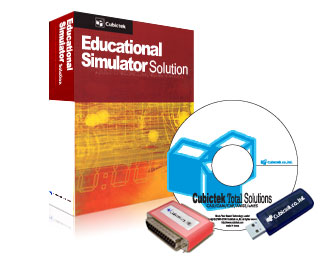
*Box : Manual, CD, Lock(dongle) etc.
-CD : Software install file
-Hard Lock : Parallel port type, USB type (multi or single)
-Soft Lock : Hard-Disk type, Lan card type.