|
 |
Introduction |
|
| |
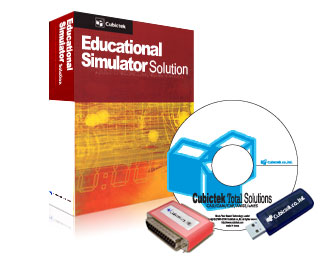
| Exam-CNC means Examination-Computer Numerical Control |
| Exam-CNC has been designed specifically for CNC-test and Level-Testing purposes about General CNC. |
| Examinees can take the exam without using Real Machine. |
| Exam-CNC is useful for quiz, midterm and final test. |
| Exam-CNC can be substituted certification test related on CNC engineer. |
|
| |
 |
|
Effect |
|
| - |
Education needs confirmation whether students understand NC code and CNC operating. |
| - |
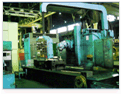
General-test can only examine students on NC code because it is taken by paper.
|
| - |
General-test ought to examine students again on CNC operating using insufficient machines and daring danger.
|
| - |
Exam-CNC can make each student’s mark list very fair
|
|
|
| |
 |
|
 |
|
 |
|
| General test |
|
Real Machine |
|
Real Machine |
|
|
|
System configuration |
|
| - |
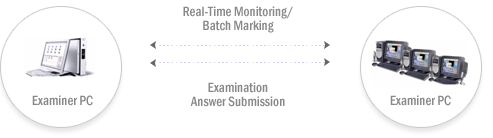
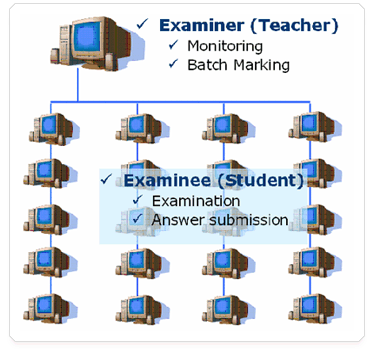
To use Exam-CNC, a Netwrok must be required. |
| - |
A large test by Exam-CNC is available anywhere on the internet environment.
|
|
|
| |
 |
|
Function |
|
| * Examination |
| - |
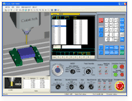
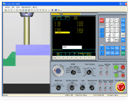
Examinees can take the exam without using Real Machine.
|
| - |
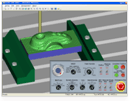
Machining Process Function as real machine. |
|
|
| |
 |
 |
 |
|
 |
|
 |
|
 |
| Check-in |
|
Tool Measuring &Compensation |
|
Origin point Setting |
|
Machining |
|
On-Line Submission |
|
| |
| * Monitoring |
| - |
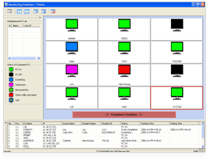
Display & Monitor Examinee’s status
|
| - |
Color monitoring |
| |
PC on/off, Examining, Submission, Disconnection, Other Utility activity, Quit, Starting & End time. |
| |
Simple examination class room set up by drag and drop. |
| |
Real-Time Monitoring |
|
|
 |
| Real-Time Monitoring |
|
| |
| * Batch Marking |
| - |
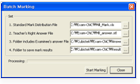
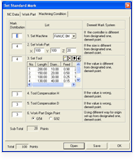
To Offer various Standard Mark List. (NC-Data/Work-Part/Machining-Condition)
|
| - |
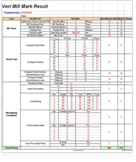
Output of individual examinee’s detail test results sheet |
| - |
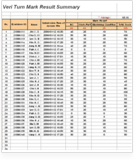
Output of total test results sheet which includes examinees’ mark |
| - |
Batch / Individual Marking Function |
|
|
| |
 |
|
 |
|
 |
 |
| Batch Marking |
|
Standard Mark Distribution |
|
Results Reporting |
|
| |
| * Cheating Prevention |
| - |
After answer submission, Exam-CNC will be closed automatically and remain no-data.
|
| - |
All examinees’ work process and status are monitored and recorded. |
| - |
The active status of other programs is also monitored ,recorded and warns to Examiner. |
| - |
An examinee’s data related to the answer can not be used for other examinees. |
| - |
The same ID check-in Prohibition Function |
|
|
| |
| * Machining and Verification |
| - |
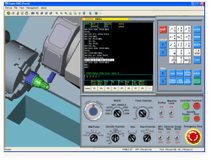
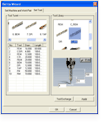
Machining (Simulation)
|
| |
. Various shape of tool support (coner R, end mill..) |
| |
. Machining Simulation Function like general Simulator (eg. V-CNC) |
|
|
| |
 |
|
 |
|
 |
| Machining Simulation |
|
Various Tools |
|
Tool path setting |
|
| |
| - |
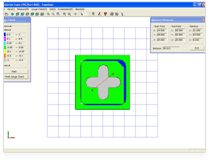
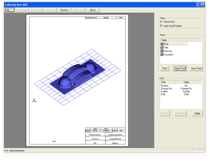
Verification (Examiner Module)
|
| |
. Dimension Check (Mill/Turn) |
| |
. Drawing Print function |
| |
. User setting (work-Part color, tool path attribute..) |
|
|
| |
 |
|
 |
| Gough Check |
|
Frint Function |
|
|
System Requirements |
|
|
Minimum |
Recommendation |
| CPU |
Pentium Ⅲ |
Pentium Ⅳ |
| MEMORY |
64MB |
256MB |
| HDD |
300MB |
500MB |
| GRAPHIC |
1024X768 |
1024X768 |
| VRAM |
16MB |
64MB |
| OS |
Windows 98/ NT/ 2000/XP |
| LAN environment |
LAN environment must be required. |
|