 |
|
|
|
|
|

|
| |
| -Robot Simulator : V-ROBOT |
|
| |
|
 |
Introduction |
|
| |
| - |
Designing, Inspection, Off-line |
| - |
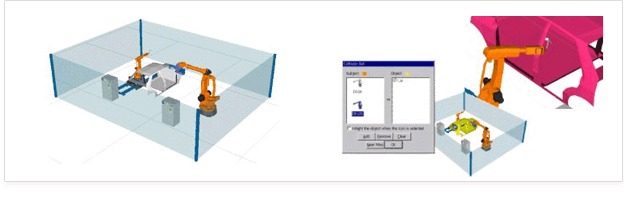
Interactive 3D graphic simulation tool for programming |
| - |
Various functions and contents for robot raining and application |
|
|
| |
 |
|
Function |
|
* SIMULATION
|
| - |
Step simulation , robot control with virtual
digital I/O ports, Multi simulation,
Manipulation of animation speed,
Working time |
| - |
3D/2D Modeling Data -IGES, DXF file format saving. Printing |
|
|
| |
| * Verification
|
| - |
Automatic collision detection between robot and robot or robot and work-piece,Selection of collision check, Manipulation of verification speed, Visual check of 3 dimensional robot working routine |
|
|
| |
* Analysis
|
| - |
Cycle time
|
| - |
Position and status
|
| - |
Joint Values, Speeds, Accelerations, Tool Center Point Location |
| - |
Reachable workspace |
|
|
| |
| * OLP(Off-Line Programming)
|
| - |
Robot language operator |
| - |
Grammar check and analysis |
| - |
Program verification through simulation |
| - |
Command information and parameter setup |
| - |
Extraction of tag points from CAD data for off-line programming |
| - |
Data base control |
| - |
Calibration |
| - |
Output robot program to link with real robot |
|
|
| |
* Path Planning
|
| - |
Extraction of working information from CAD data
|
| - |
Tag Point
|
| - |
Position + Orientation
|
| - |
Tag Point DB |
| - |
Creation, edit and save
|
| - |
Off-Line Teaching |
|
|
| |
*Transmission
|
| - |
Transmission of robot program into real robot |
| - |
Internal DNC ( RS232C protocol ) |
| - |
Floppy diskette |
|
|
| |
| *Libraries
|
| - |
Robot, torch, Gripper,RGV, M/C, Turning |
|
|
| |
|
|
Effect |
|
| - |
Process verification of Robot Work-cell |
| - |
Retrenchment of cost and time of new equipment
|
| - |
Existed equipment repair and suppliment
|
| - |
Increase of efficiency with verification and application cases |
| - |
Suitability check of robot and equipment to product
|
| - |
Increase of educational effect through virtual training |
| - |
Safety supervision from robot and work-cell |
|
|
|
System Requirements |
|
|
Minimum |
Recommendation |
| CPU |
Pentium Ⅲ |
Pentium Ⅳ |
| MEMORY |
64MB |
128MB |
| HDD |
300MB |
500MB |
| GRAPHIC |
1024X768 |
1024X768 |
| VRAM |
16MB |
64MB |
| OS |
Windows 98/ NT/ 2000/XP |
|
|
 |
Case study |
|
| |
|
|
Testimonial |
|
| |
|
|
Package |
|
| |
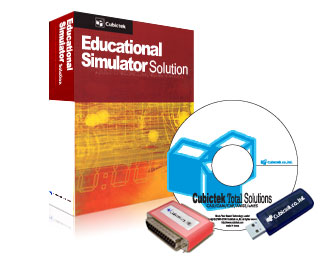 |
*Box : Manual, CD, Lock(dongle) etc.
-CD : Software install file
-Hard Lock : Parallel port type, USB type (multi or single)
-Soft Lock : Hard-Disk type, Lan card type. |
|
| |
 |
|
 |
| |
|
|
|
|
| |
|
|
|
|
| |
|
|
Copyright ⓒ 2007 CUBICTEK CO.,LTD. All Rights Reserved.
RM711, HamshinITTower235, Guro-3Dong, Guro-Gu, Seoul,Korea. Cubictek., ltdl. |
|
|
 |
|
|





